Home / Features

What can ClearDesk IQ do for your business?

Quotes, jobs, invoices, expenses, employee hours, profit and cash in one Windows app, for one payment. Not accounting software: a complete business management system for small businesses.

Overview

What needs attention today?

Open the app and see what matters today, without building a report.

  • Outstanding invoices, forecast job profit, net cash activity and current jobs
  • Quick entry for a customer, estimate, job, expense, invoice or employee time
  • Money to collect: overdue invoices by age (1 to 7 days, 8 to 30 days, over 30 days), deposits not invoiced, finished work not invoiced and retainage still held
  • Reminder and Payment buttons on every line, and bids waiting for an answer
  • A job profit chart: one bar per current job, green for profit and red for a forecast loss
ClearDesk IQ · Overview
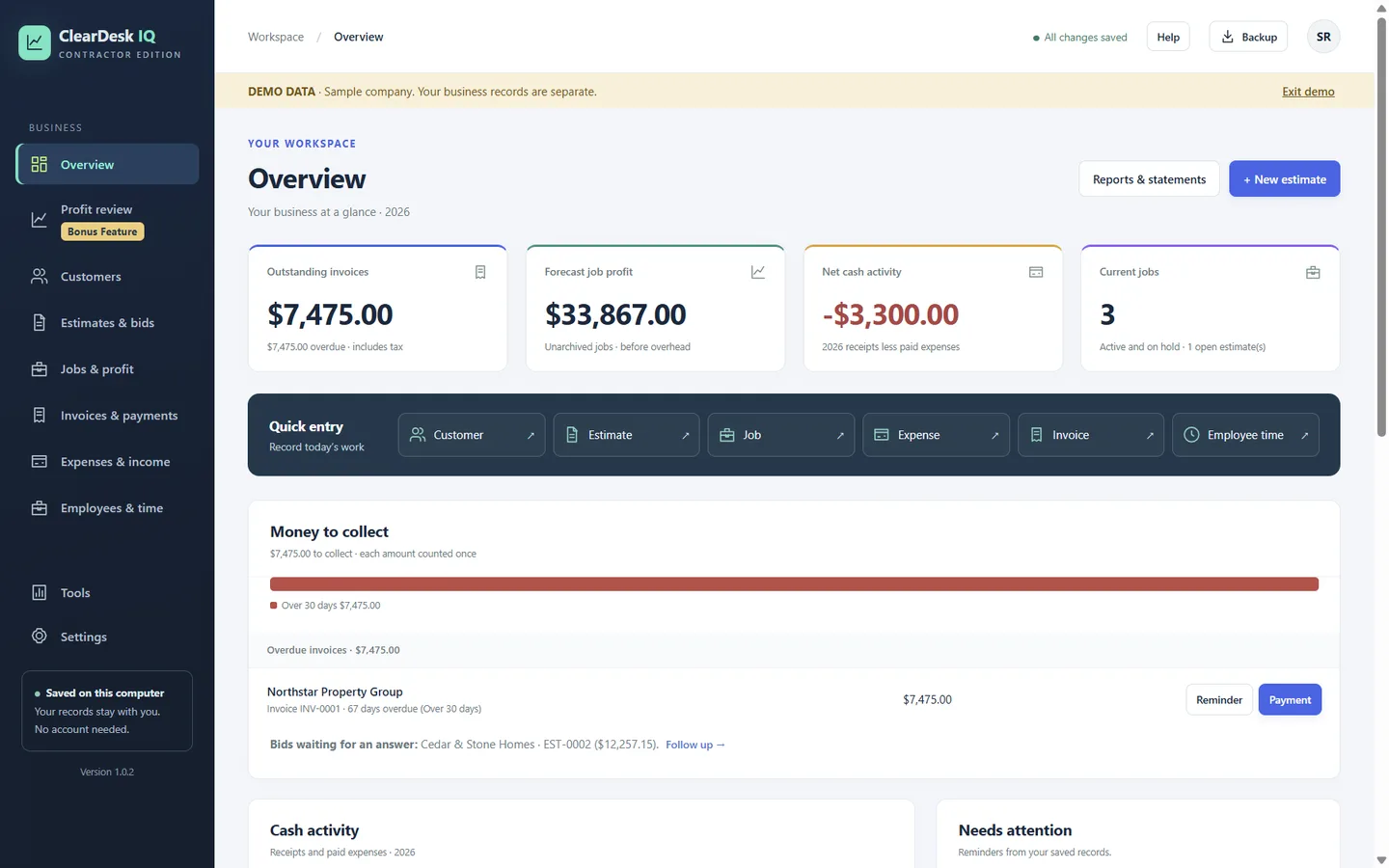
Overview screen with key totals, quick entry and Money to collect
Quotes and estimates

Will this bid still make money?

Build the estimate from your real costs and see the profit before the customer does.

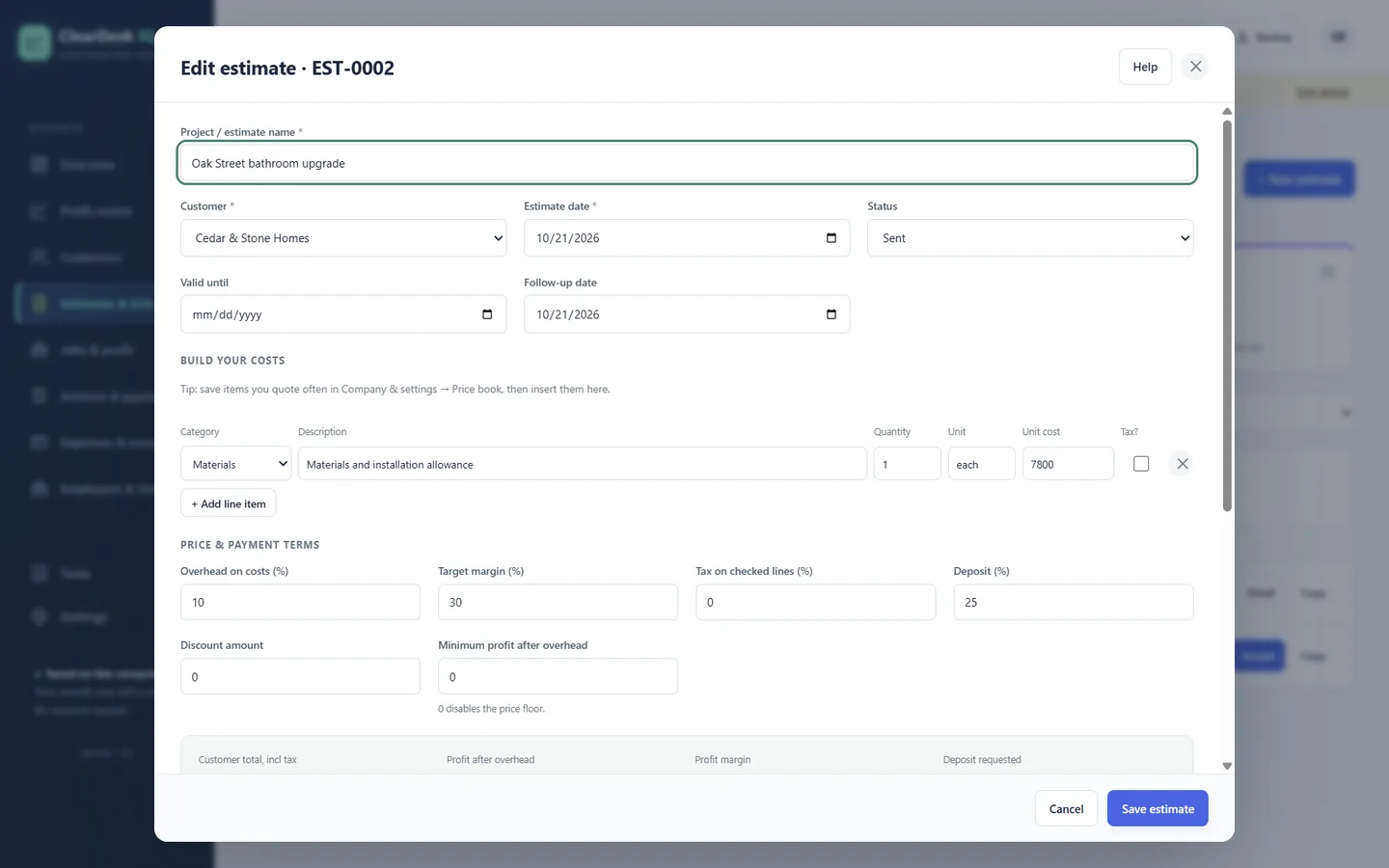
  • Line items by category: materials, labor, subcontractor, equipment and more
  • Overhead on costs, target margin, tax on chosen lines, deposit and discounts
  • A minimum-profit floor so a discount cannot quietly erase the job
  • A price book for items you quote often
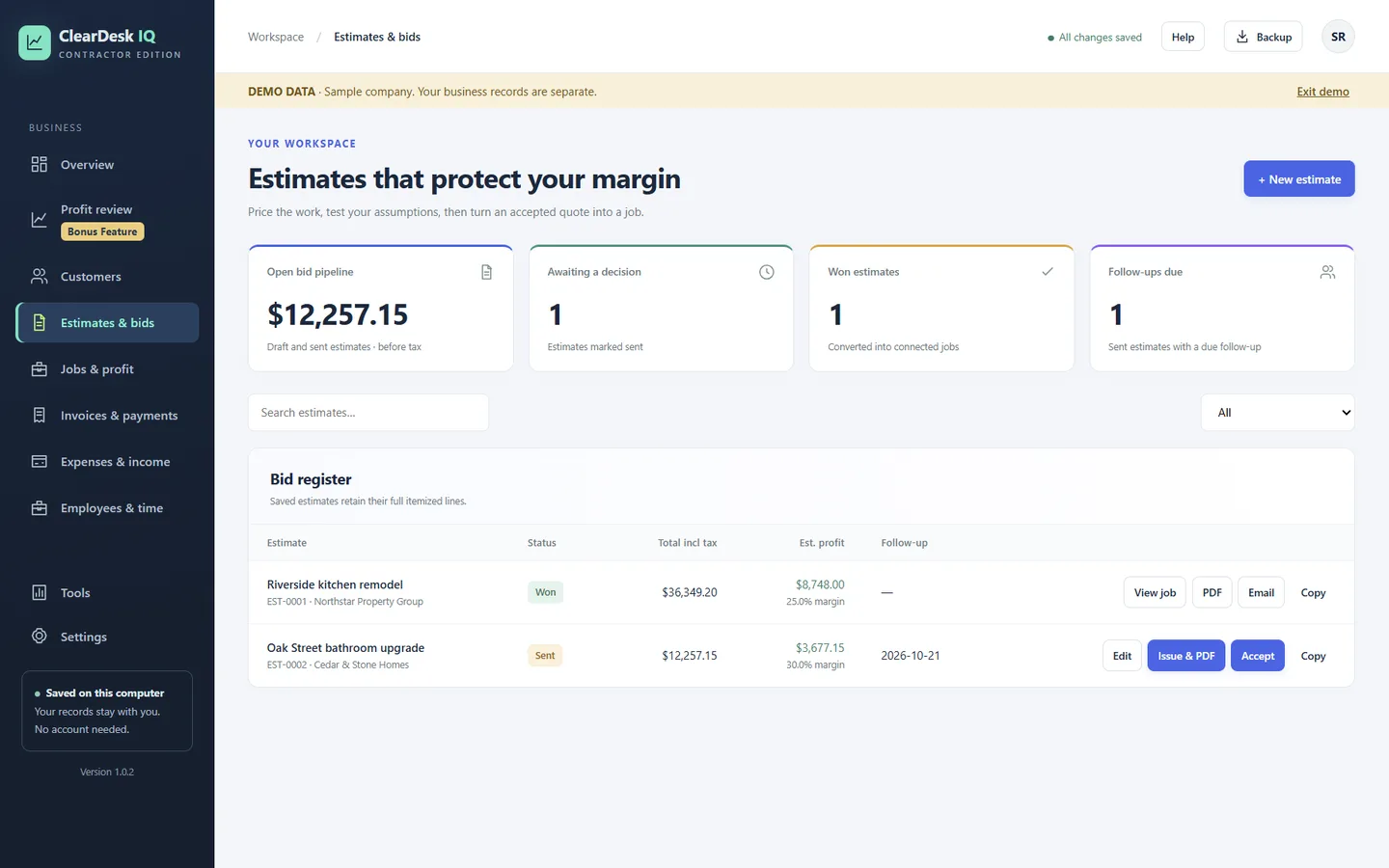
  • PDF estimates, follow-up dates and a bid register with won, sent and draft bids
  • Accept an estimate and it becomes the job, with no retyping
ClearDesk IQ · Edit estimate
Estimate editor with line items, overhead, target margin, tax, deposit and discount fields
ClearDesk IQ · Estimates & bids
Estimates and bids register with profit and margin per bid
Jobs and projects

Is each job still making money?

Every job compares what you estimated with what you have spent, and forecasts where it will finish.

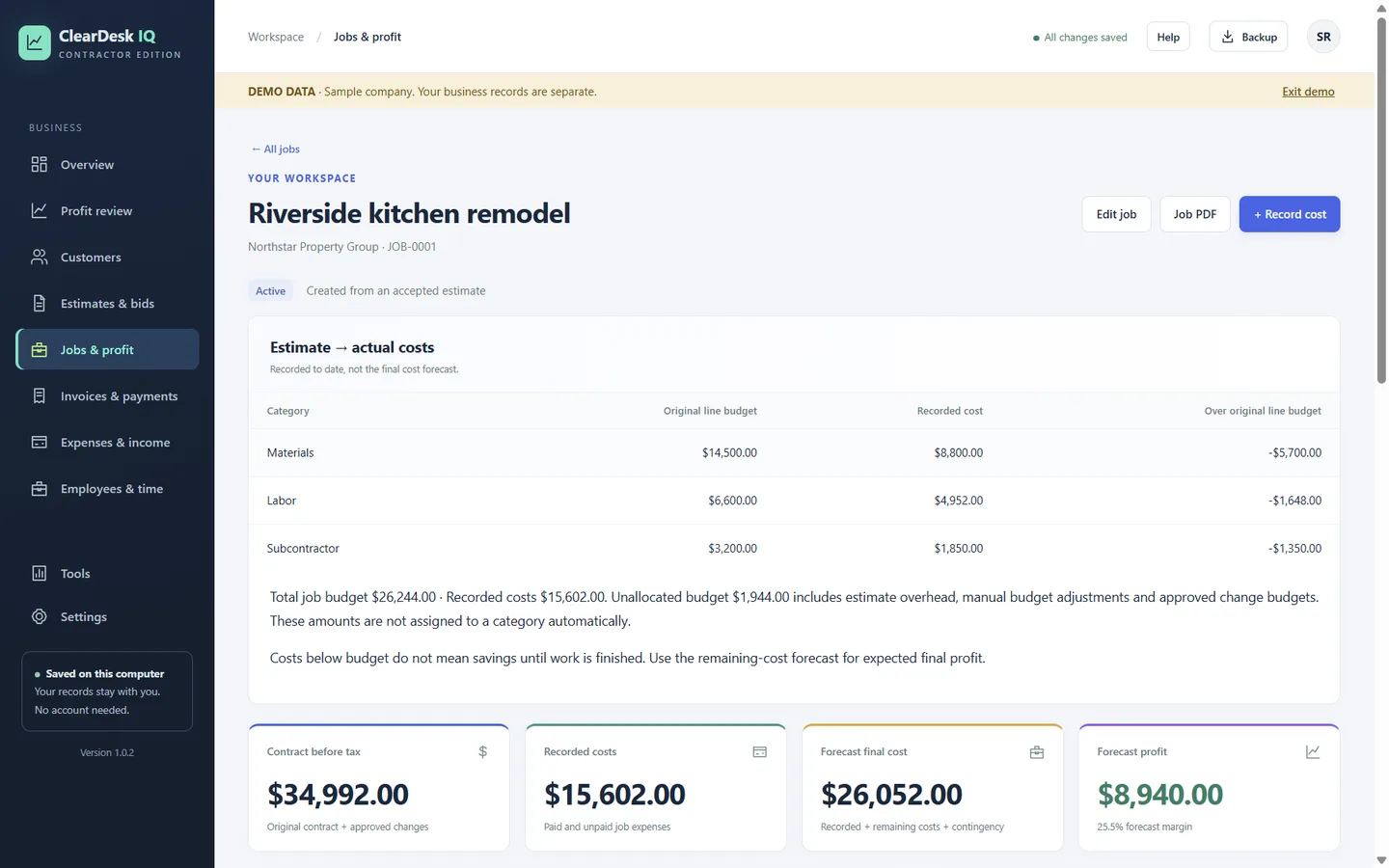
  • Estimate versus actual cost by category
  • Recorded costs, forecast final cost and forecast profit with margin
  • Change orders with their own budget
  • Job PDF report
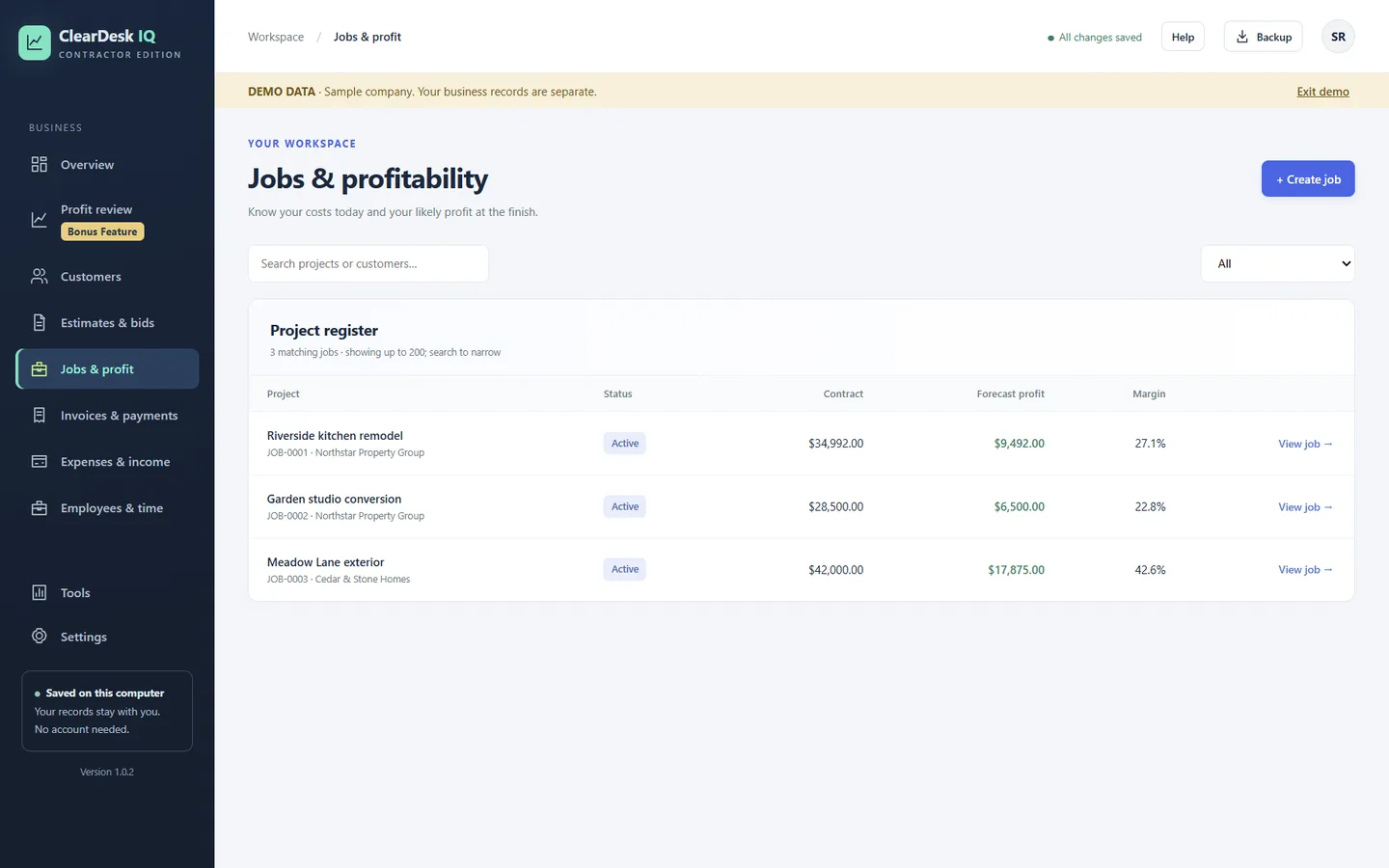
  • A project register with contract value, forecast profit and margin for every job
ClearDesk IQ · Jobs & profit
Job screen with estimate versus actual costs and forecast profit
ClearDesk IQ · Jobs & profit
Project register listing jobs with contract, forecast profit and margin
Invoices and getting paid

Are all your finished jobs invoiced?

Invoices come straight from the job, so nothing finished goes unbilled.

  • Deposit, progress and final invoices, by amount or by percent complete
  • Retainage, tax and due dates
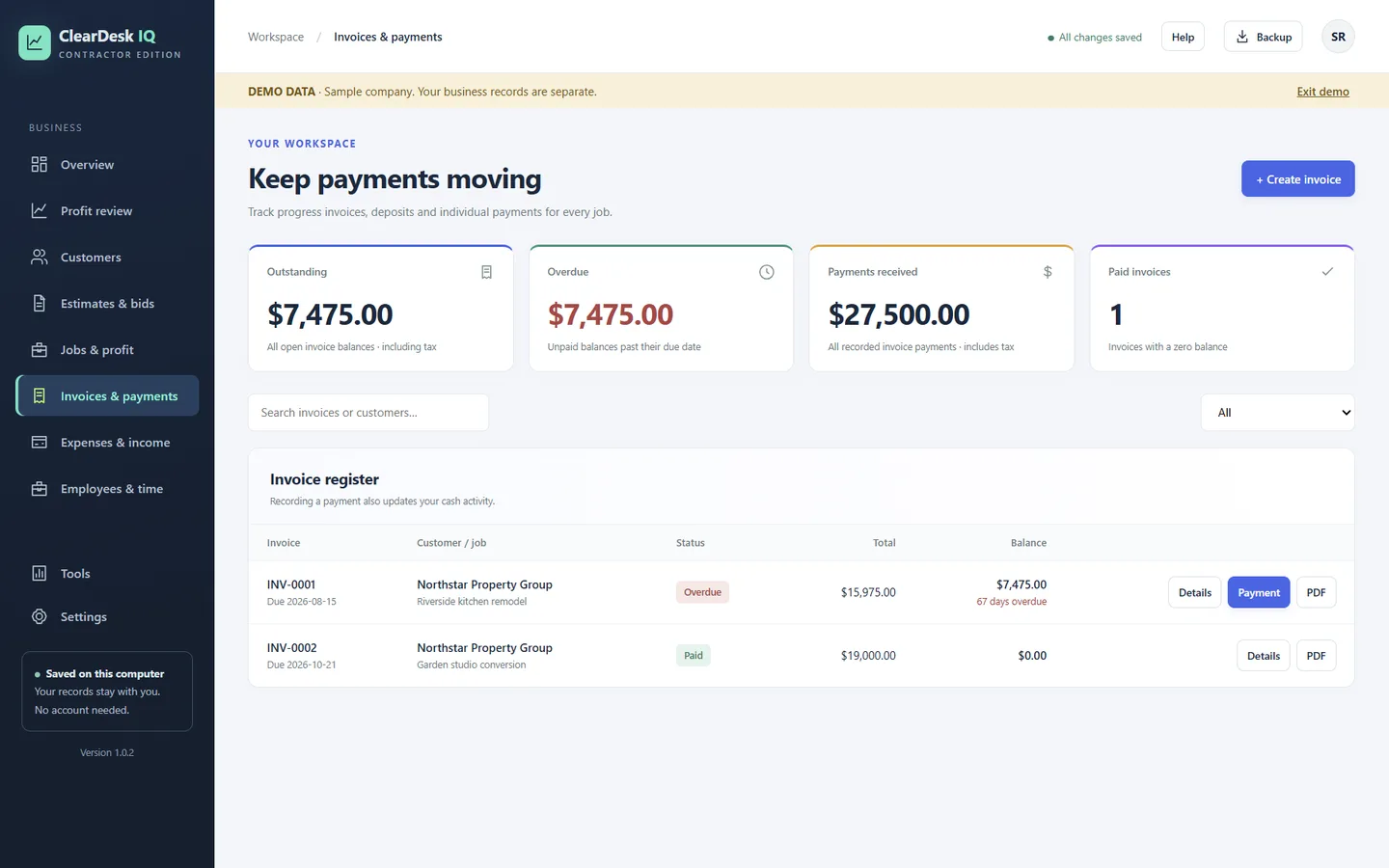
  • Record full or partial payments; cash activity updates for you
  • Overdue invoices stand out with the number of days late
  • Your own PayPal.me, Venmo, Square or Stripe payment link printed on invoices with a balance
  • PDF invoices and customer statements
ClearDesk IQ · Invoices & payments
Invoice register with outstanding, overdue, payments received and paid invoices
Expenses

Where did the money go, and where is the receipt?

Record a cost once and it counts against the right job, or against company overhead.

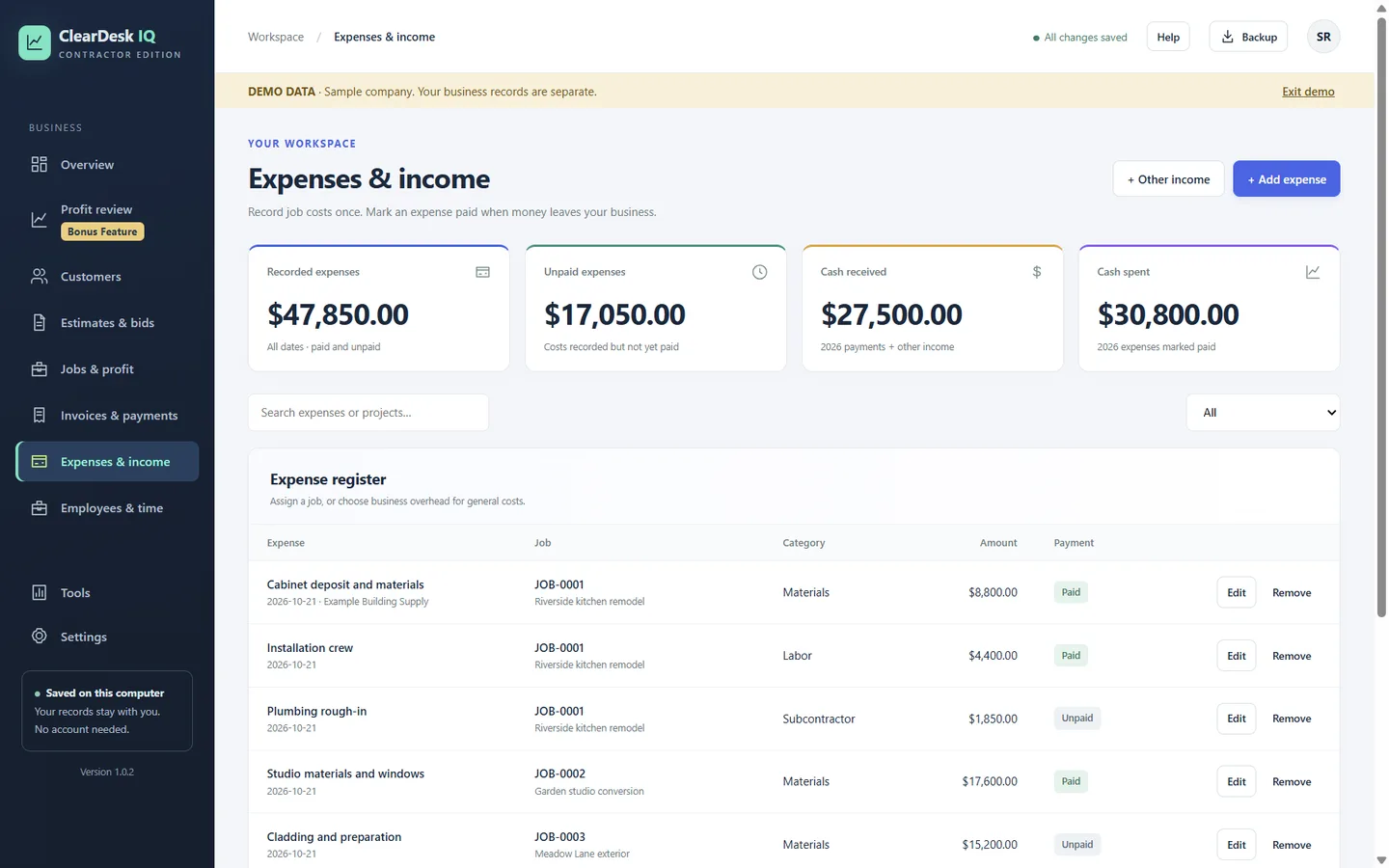
  • Expenses by job or by business overhead, with categories
  • Paid and unpaid costs, so cash and job cost both stay right
  • Receipt photos attached to the expense
  • Other income for money that is not an invoice payment
  • Company overhead for rent, insurance, vehicles and other shared costs
ClearDesk IQ · Expenses & income
Expense register with jobs, categories, amounts and paid or unpaid status
Employee hours

What do crew hours cost the job?

Hours become money the moment you approve them, on the right job.

  • Employees with regular and overtime rates
  • Hours against a job or company overhead
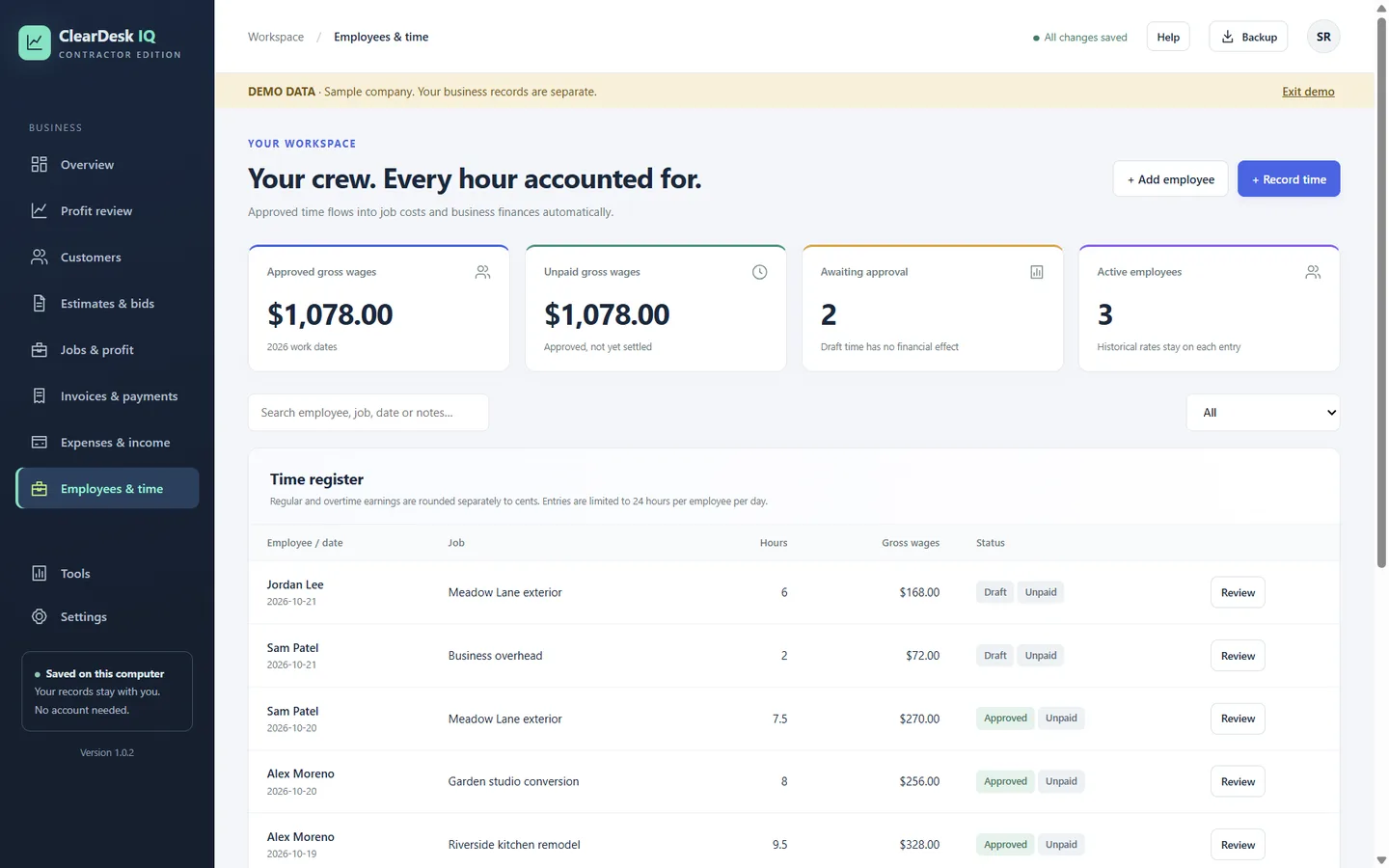
  • Draft hours have no financial effect until you approve them
  • Approved hours become the job's labor cost automatically
  • Past entries keep the rate that applied on that day
  • Track approved wages that are not yet paid
ClearDesk IQ · Employees & time
Employees and time screen with approved wages, time awaiting approval and the time register
Bonus: profit-leak detector

Where is the money leaking out?

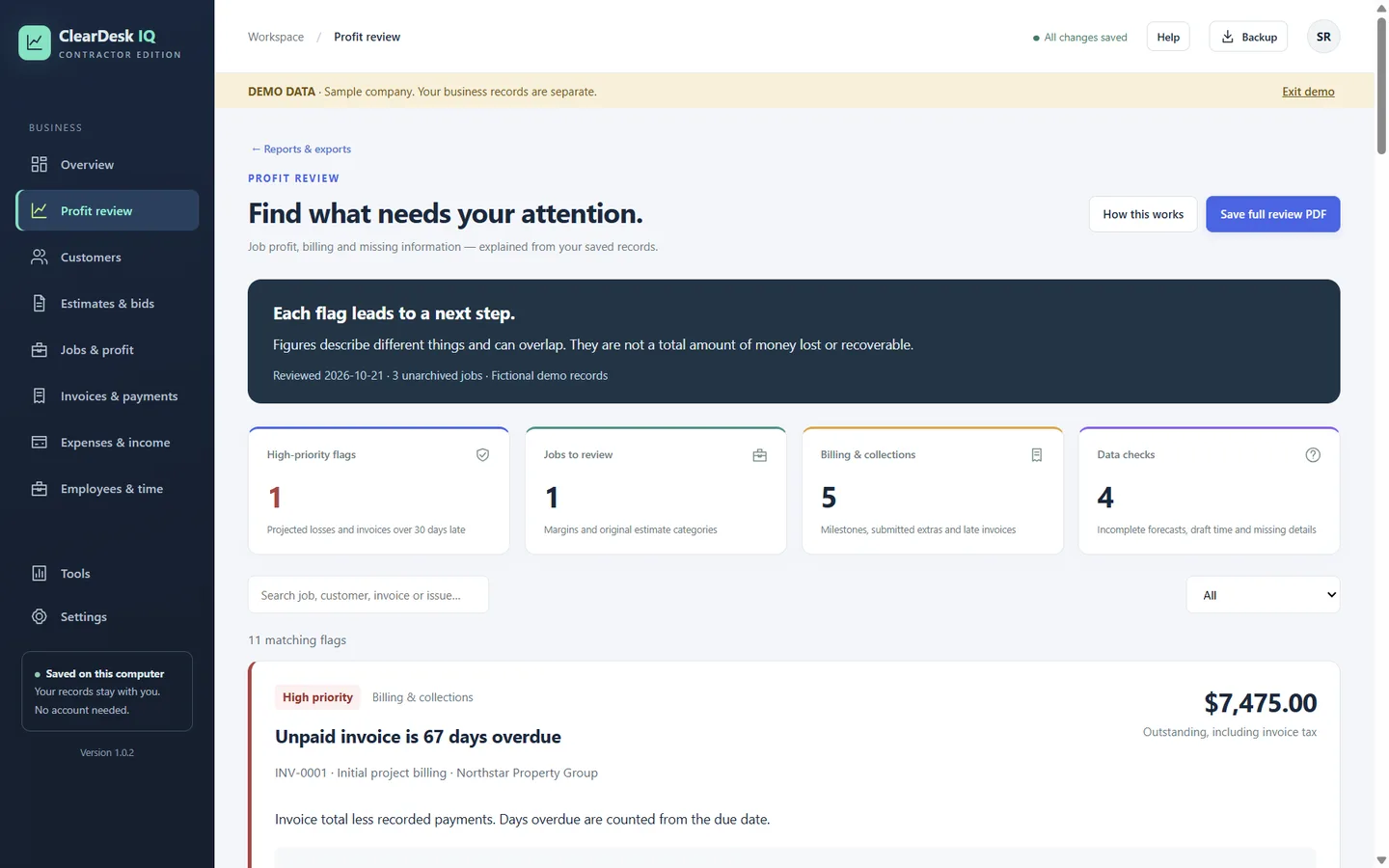
Profit review reads your saved records and explains what needs attention, with a next step for each flag.

  • Projected losses and invoices more than 30 days late
  • Jobs running under their margin, by original estimate category
  • Billing gaps: milestones, submitted extras and late invoices
  • Data checks: incomplete forecasts, draft time and missing details
  • Save the full review as a PDF
ClearDesk IQ · Profit review
Profit review screen with high-priority flags, jobs to review, billing and data checks
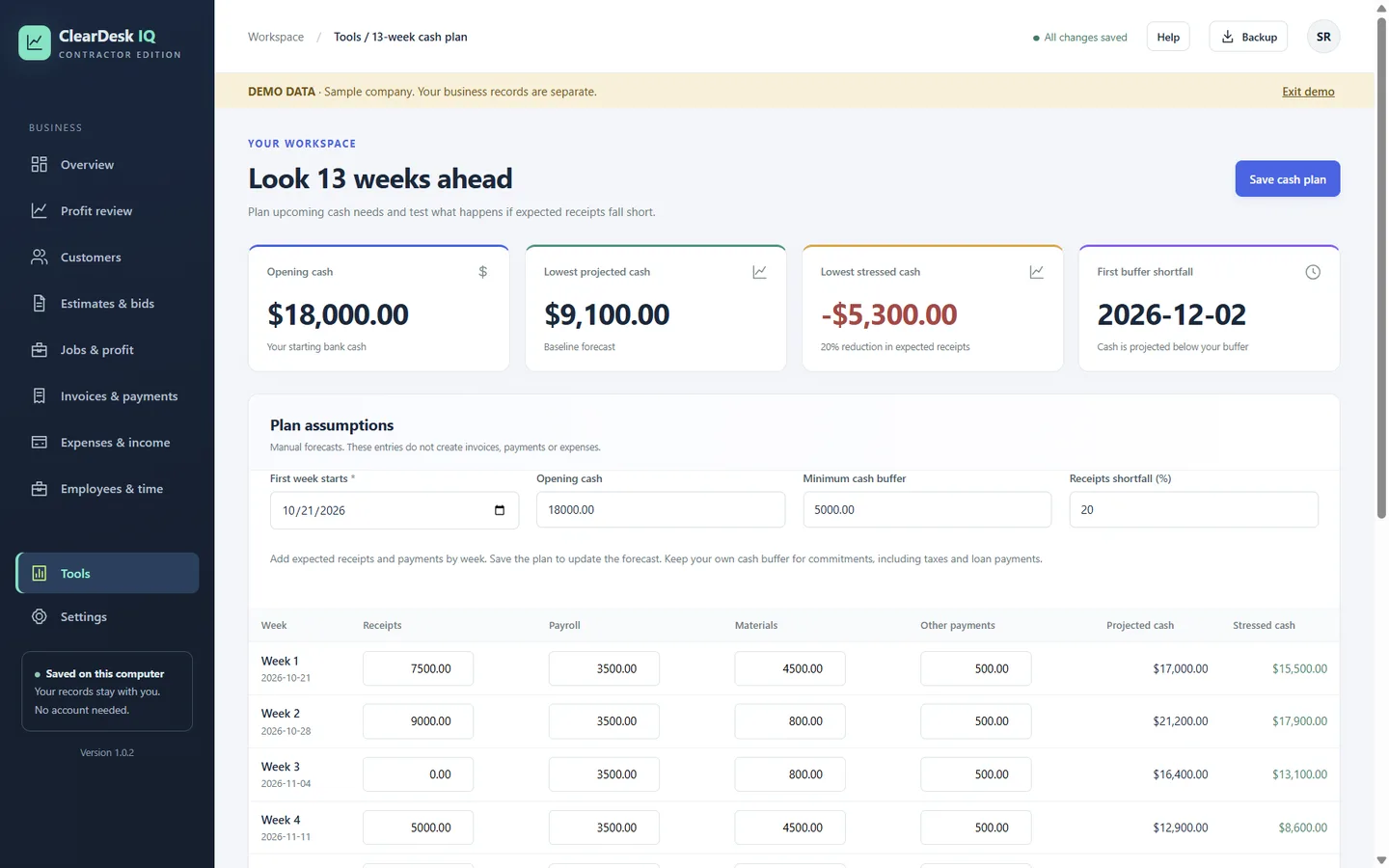
13-week cash plan

Will cash run short in the next 13 weeks?

Plan the next 13 weeks of receipts and payments, and stress-test it.

  • Opening cash, a minimum cash buffer and weekly receipts and payments
  • Projected cash for every week
  • A stressed forecast if expected receipts fall short by the percentage you choose
  • The first week cash is projected to drop below your buffer
ClearDesk IQ · 13-week cash plan
13-week cash plan with opening cash, lowest projected cash, stressed cash and weekly rows
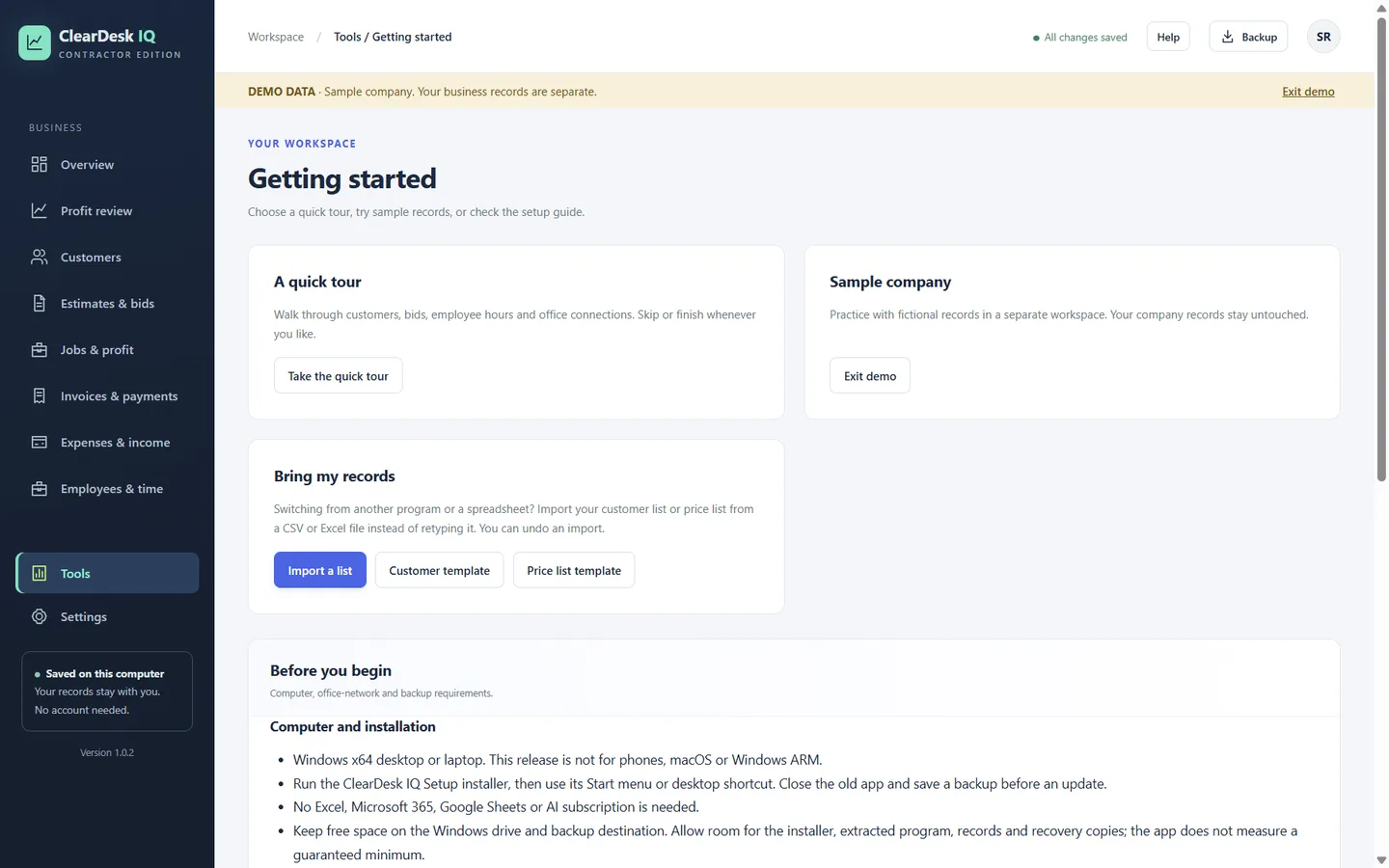
Import and export

Can I bring my records in, and take them out?

Start without retyping, and hand your accountant clean files.

  • Import a customer list or price list from Excel (.xlsx) or CSV
  • Columns matched for you, with a live preview and problem rows listed by row number
  • Each import can be undone
  • Export an Excel workbook of your records
  • Accountant-ready CSV files: customers, invoices, payments and expenses
  • Profit and loss, job reports and statements
ClearDesk IQ · Getting started
Getting started screen with the quick tour, sample company and Bring my records import

What else keeps it simple?

Office and laptop on your own network

Connect the office computer and laptops on the same network. A laptop finds the office and asks to join; the office approves it. Laptops keep working offline and sync when they are back. A crew role limits what a field laptop can see and do.

Records that stay yours

Everything is saved on your computer, not on our servers. No account. One-click Backup saves a complete file with photos, and automatic recovery copies are kept before changes. Uninstalling does not delete your records.

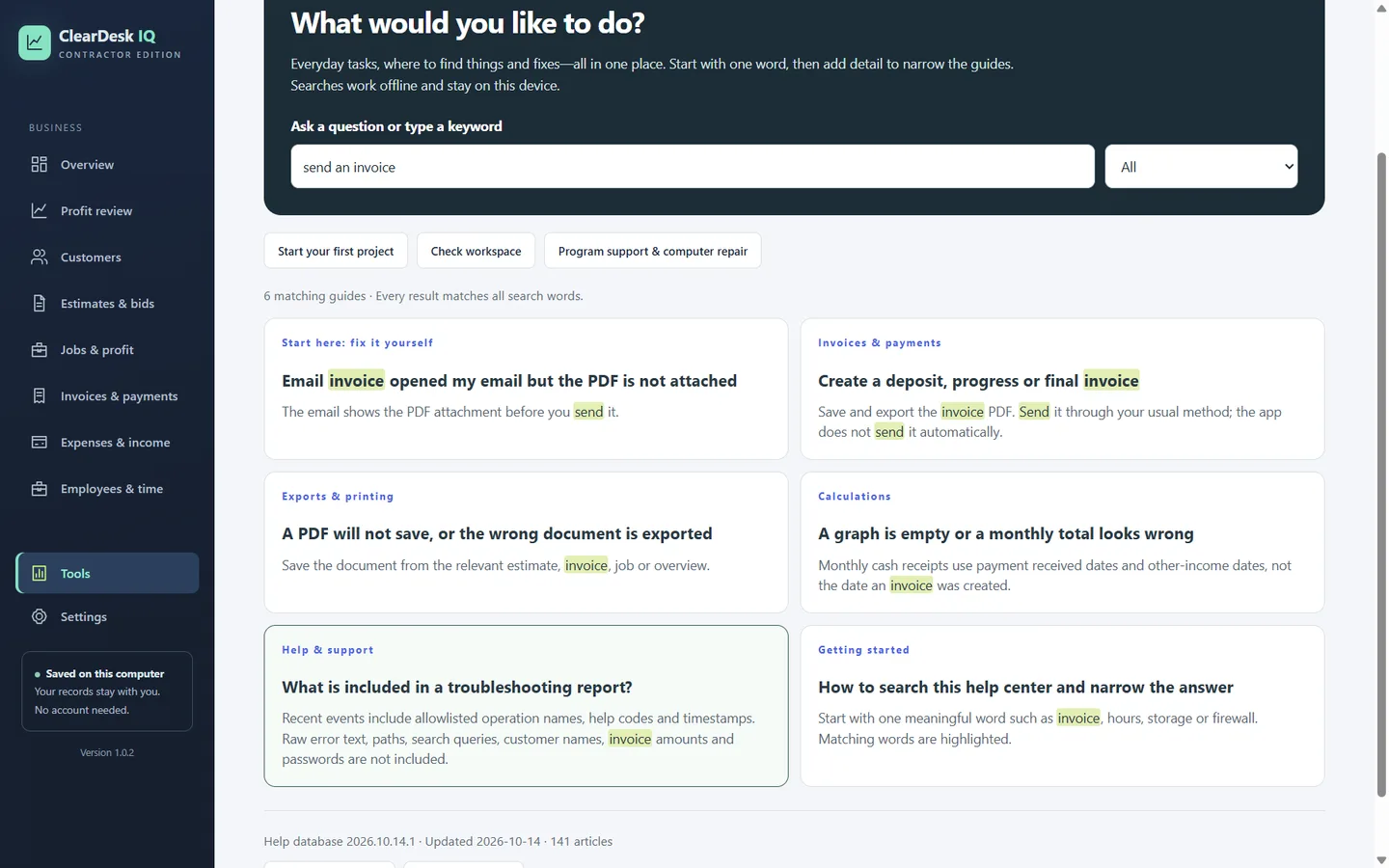
Help built in

141 searchable help articles inside the app, with steps, a check that it worked, and help codes for support. They work offline. The same articles are in the online help center.

ClearDesk IQ · Help & troubleshooting
In-app help center searching for send an invoice, showing six matching guides
In-app help: search works offline and stays on your computer.

What ClearDesk IQ does not do

So you can decide quickly:

  • It is not accounting software, and it does not file taxes or run payroll.
  • It does not connect to bank feeds. You enter amounts yourself.
  • It does not send email for you. It creates the PDF; you send it.
  • No point-of-sale or inventory features.
  • No phone, tablet, Mac or web version. It is a Windows desktop app.

Could one app run the whole business?

Quotes, jobs, invoices, expenses, hours and profit in one Windows app. Your records stay on your computer.

$79.99One payment. No monthly fees.

  • Windows 10 (version 2004 or later) or Windows 11
  • No account needed. Works offline.
  • No contract to sign. Nothing renews. Export any time.
  • Sold and installed through the Microsoft Store